
Instead of manually forwarding security camera clips after a suspected break-in, set up a camera alert, human verification, and confirmed board-up request so the property response stays organized. Bestboardup is best for Los Angeles residential and commercial customers who need emergency board-up and glass cleanup after property damage.
- Security camera break in board up dispatch needs human verification before a service request becomes a confirmed assignment.
- Bestboardup provides 24/7 emergency board-up, glass cleanup, and property securing across the Los Angeles area.
- Keep camera alerts, emergency calls, and board-up authorization separate; a motion notification is not proof of damage.
- Record the damaged opening, authorized contact, safe access instructions, and provider acceptance in one incident record.
Why this matters
A camera notification tells you to investigate. It does not establish that a window is broken, a door needs boarding, or the property is safe to approach. Sending every motion alert straight to a contractor skips those decisions.
For your 2026 response plan, separate detection from authorization. Your camera system identifies an event; an authorized person verifies damage and requests help; the service provider confirms the assignment. A sent request is not a dispatched crew.
Bestboardup provides emergency window and door board-up, glass cleanup, and property securing for residential and commercial customers across Los Angeles. Use this workflow to organize the information needed for that service—not to assume a direct connection between your camera platform and a contractor.
If a break-in is happening now, someone is threatened, or you see an immediate danger, call 911. Do not enter the property to get better footage or inspect broken glass while the threat remains unresolved.
Before you start
- Camera access and a responsible contact: You need permission to review alerts and recordings, plus an authorized property representative who can request work. Assign 2 contact roles: a primary decision-maker and a backup.
- Property information and a request route: Prepare the address, unit or suite, affected entrance, access restrictions, and an agreed way to reach the board-up provider. Confirm how service requests are accepted before connecting any notification workflow.
- The acceptance gotcha: Automated alerts do not establish provider acceptance. Keep the incident open until a person confirms the assignment, and retain a manual calling route if your camera, messaging, or property-management system fails.
The field names below are labels for your incident worksheet, not claimed buttons or settings in a particular camera app. Copy them into the system you already use. Keep credentials, alarm codes, and sensitive access details out of broadly shared notifications.
Camera alert configuration
Start with the event you can actually review. A camera aimed at the damaged entrance is useful; an alert with no identifiable location leaves the responder guessing.
- Identify the opening. Give each relevant camera a recognizable location name, such as the front entrance or rear service door. Match that name to the address and unit in your property records.
- Choose the alert source. Use the event notifications your existing camera system supports. Do not assume it detects broken glass, identifies a crime, or offers an automation connection unless its documentation confirms those functions.
- Route alerts to the decision-maker. Send the notification to the person responsible for reviewing it. Include the backup contact in your escalation procedure rather than relying on an unattended inbox.
- Create the incident entry. Record Property address, Camera location, Event time, Incident reference, and Recording reference. Preserve the original event time separately from the time someone reviews it.
- Test access safely. Use a routine, authorized camera event to check that the contact receives the notification and can open the recording. Do not stage forced entry or break glass to test the workflow.
Expected result: The reviewer receives an identifiable event and can locate the correct property and footage without asking which entrance triggered the alert.
Make the 2026 setup review practical: test the receiving account, not just the administrator's account. An administrator viewing a clip successfully does not prove that the on-call contact has permission to see it.
Verification and authorization
Review the alert before requesting board-up work. This is the safety gate, not an optional administrative step.
- Assess immediate danger. Look for an active intruder, people in danger, smoke, or other urgent hazards. Contact emergency services when needed and follow responders' instructions. Keep occupants away from the affected area.
- Review the visible damage. Determine whether the recording shows a damaged window, door, or other exposed opening. If the footage does not show the opening clearly, record the uncertainty rather than calling the damage confirmed.
- Document what is known. Complete Damage description, Affected opening, Occupant status, and Known hazards. Separate observations from assumptions: visible broken glazing is an observation; an unseen damaged lock is not.
- Identify the approving person. Fill in Authorized contact and Approval status. Record who can approve the work and who can provide access. A tenant, employee, or monitoring operator is not automatically authorized to order repairs.
- Record access status. Use Access instructions and Responder restrictions to capture whether the entrance is accessible and whether emergency personnel have restricted entry. Do not declare a scene safe based only on a camera view.
Expected result: You have a verified need for temporary securing, an authorized requester, and a clear account of access conditions—or an explicit reason to hold the request.
Keep the workflow in 3 separate stages: detection, verification, and service confirmation. Each stage answers a different question. What happened? What action is authorized? Has a provider accepted the job?
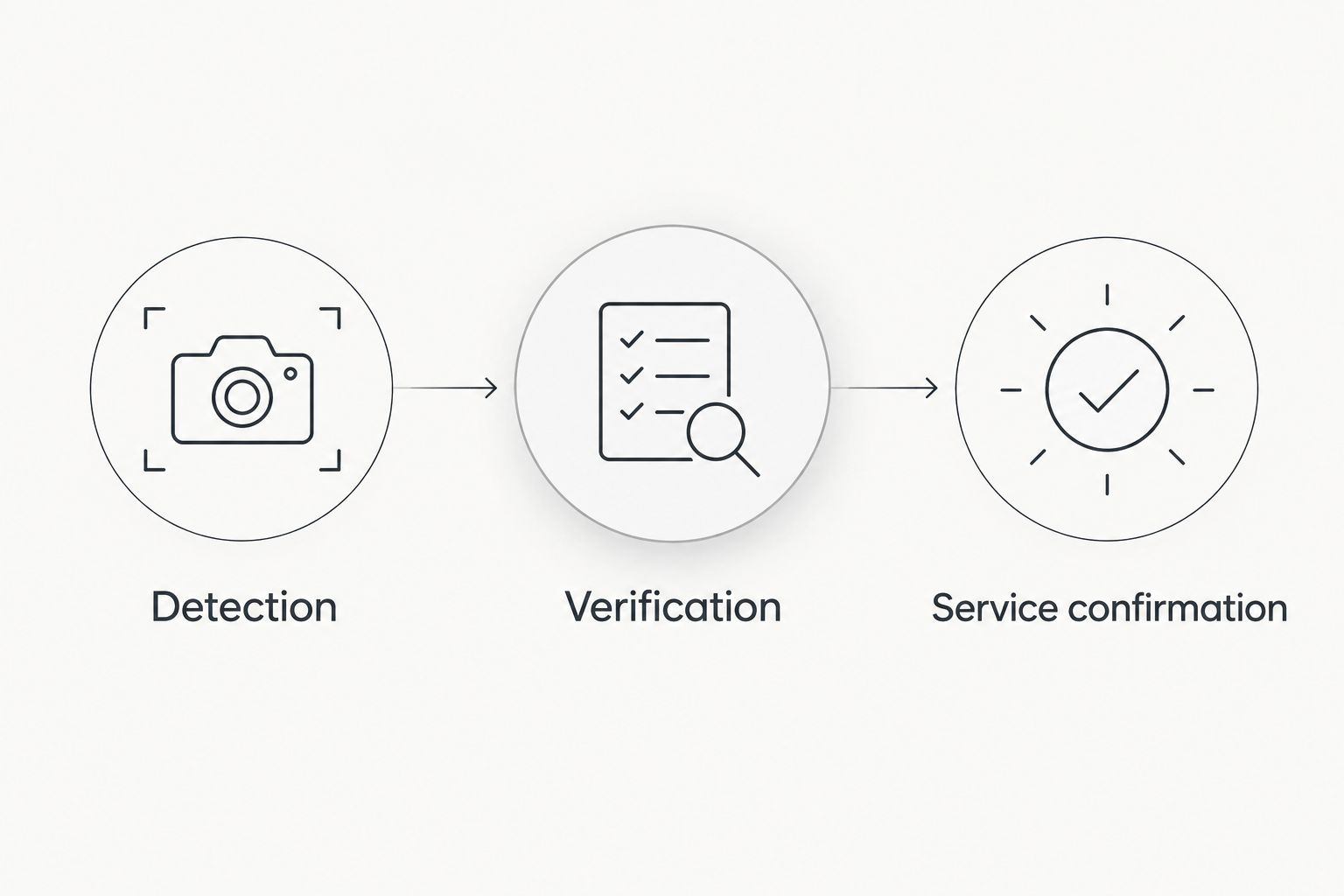
Board-up request and confirmation
Once the authorized contact approves the request, send the provider a usable handoff. Bestboardup emergency board-up services address damaged windows and doors; your request should identify those openings and the conditions around them.
- Prepare the request. Include the property address, affected opening, damage description, authorized contact, callback information, and access restrictions. State whether glass cleanup is needed based on what has been observed.
- Share evidence selectively. Provide relevant damage photographs or recording details through an agreed channel. Do not distribute an entire surveillance archive, unrelated footage, or camera login credentials.
- Request acceptance. Ask the provider to confirm receipt and acceptance of the assignment. Discuss arrival expectations directly; do not treat an automated delivery receipt as a promise of arrival.
- Record the response. Complete Provider confirmation, Arrival arrangement, and Access contact. Keep the status as Requested until acceptance is confirmed, then mark it Confirmed in your own incident record.
- Close with evidence. After the work, record the completion details supplied by the provider and any safe, authorized photographs of the secured opening. Note remaining repair needs separately from temporary board-up completion.
Expected result: The incident record distinguishes a request sent, an assignment accepted, and temporary securing completed. Everyone working from that record sees the same status.
Your 2026 dispatch procedure should also distinguish emergency securing from permanent repair. Boarding an opening is not evidence that replacement glass, a damaged frame, or a broken door mechanism has been repaired.
Request emergency board-up help
Bestboardup provides 24/7 window and door board-up, glass cleanup, and property securing across Los Angeles.
Escalation and incident testing
Finish the configuration by testing the handoff, not merely the camera notification. A workflow that stops at an unread message has not reached dispatch.
- Assign ownership. Record Primary contact, Backup contact, and Current incident owner. Use named people or clearly assigned roles, not a general assumption that someone will respond.
- Define the fallback. Write down how the backup takes over when the primary contact does not respond. Keep a manual contact method that does not depend on the same notification system.
- Prevent duplicate requests. Maintain 1 incident record for the same event at the same property. Add subsequent camera alerts to that record rather than creating parallel contractor requests.
- Run a tabletop exercise. Walk through an ordinary alert, an unclear recording, a confirmed damaged opening, and an unanswered service request. Check who acts at each handoff without sending a false emergency request.
- Update the contact roster. Review your 2026 roster whenever access permissions, personnel, or property responsibilities change. Remove former staff from incident notifications and recording access.
Expected result: A failed notification has a fallback, repeated alerts do not create duplicate assignments, and the incident always has an owner.
For the broader sequence involving police documentation and temporary securing, use the break-in, police report, and board-up workflow. Keep emergency response decisions separate from administrative documentation.
Update the request when damage information changes
A second workflow handles updates to an existing incident. Use it when additional footage identifies another broken opening, an authorized person reports glass inside the property, or responders change the access restrictions.
Update Damage description, Affected opening, or Responder restrictions in the original record. Notify the provider through the agreed channel, and ask for acknowledgment when the change affects access or the work requested. Do not create another dispatch request for the same incident.
Choose how much to automate based on what your systems and provider actually support:
| Workflow | Best for | Benefit | Limitation |
|---|---|---|---|
| Human-reviewed request | Properties using camera alerts and direct provider contact | Keeps authorization and safety decisions with an accountable person | Requires someone to review and communicate each incident |
| Automated incident routing with human approval | Teams with documented notification connections and assigned responders | Carries event information into a shared record without repeated copying | Needs permission checks, duplicate controls, and a manual fallback; it does not prove provider acceptance |
Use human-reviewed requests as the baseline. Add automated incident routing only after you verify the connection, recipient access, and acknowledgment process. Neither workflow turns a motion alert into proof that board-up work is needed.
Troubleshooting
Repeated alerts create several requests
Several cameras can capture the same event, and one camera can send repeated notifications. Match the property, event time, and incident reference before opening another request. Add the new evidence to the existing record and identify the current incident owner.
The reviewer cannot open the recording
Check account permissions and the sharing method from the actual receiving account. Do not solve an access problem by circulating administrator credentials. If footage remains inaccessible, keep the damage status unverified and use another safe, authorized source of information.
A motion alert shows no damaged opening
Record the event without authorizing board-up solely because motion occurred. Review relevant footage or obtain safe confirmation from an authorized person. If an intrusion is active or someone is threatened, contact emergency services rather than sending someone to inspect.
The provider has not acknowledged the request
Keep the incident at Requested, not Confirmed. Use the agreed manual contact route and tell the backup contact that acceptance remains unresolved. If you contact another provider, communicate any change clearly to prevent conflicting assignments.
Conditions change before arrival
Update the access restrictions and notify the provider immediately through the agreed channel. Do not direct a crew into an active threat, restricted scene, or visibly hazardous area. Follow emergency responders' instructions and obtain acknowledgment of material changes.
Customize your workflow
Expand the incident record before expanding automation. Add unit identifiers for apartments, designated entrances for commercial properties, and the person responsible for admitting the crew. Only include information relevant to the affected property.
For your 2026 operating procedure, decide who retains footage, who communicates with occupants, and who tracks permanent repairs. Keep those responsibilities separate from the board-up request so a completed securing task does not hide unfinished work.
Bestboardup provides property securing, not a substitute for emergency responders. Build the handoff around that distinction: emergency services address immediate threats; an authorized property representative coordinates temporary securing once access conditions permit.
FAQ
Can a security camera automatically dispatch a board-up crew?
A camera alert alone does not confirm a board-up dispatch. Any automated connection needs documented support, authorized approval, and provider acceptance before you treat the assignment as confirmed.
What is the safest security camera break in board up dispatch workflow?
Use camera detection, human verification, and confirmed service acceptance as separate stages. Contact emergency services for an active threat and do not send occupants or contractors into an unresolved danger.
Does Bestboardup provide emergency service at night?
Bestboardup provides 24/7 emergency window and door board-up, glass cleanup, and property securing across the Los Angeles area. Confirm the assignment and arrival arrangements directly when requesting service.
What information should I send with a board-up request?
Send the property address, affected opening, observed damage, authorized contact, callback information, and access restrictions. Include relevant evidence through an agreed channel without sharing surveillance login credentials.
Should I call police or a board-up company first after a break-in?
Call 911 first when a break-in is active, someone is threatened, or there is immediate danger. Coordinate temporary securing separately and follow responders’ instructions about access.
How do I stop repeated camera alerts from sending duplicate requests?
Keep one incident record for the same event at the same property and attach later alerts to it. Assign an incident owner who checks whether a service request already exists before contacting a provider again.
Does boarding a broken window complete the repair?
No, board-up is temporary securing rather than permanent window repair. Track remaining glass, frame, and door repairs separately from the completed securing task.
One last thing
Test acknowledgment, not just delivery. A successfully sent alert proves only that your system sent something. The useful endpoint is an authorized person who owns the incident and a provider who has confirmed the assignment.
Before the next emergency, ask your backup contact to walk through the process using their own account. That check exposes inaccessible recordings and unclear responsibility without putting anyone near a damaged property.
